
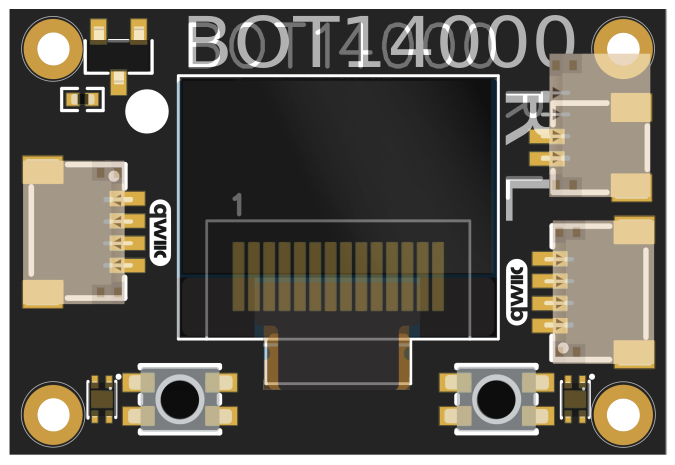
BOT14000 WisBlock Core OLED Datasheet
Overview
Description
BOT14000 is a WisBlock Display module with a 0.49-inch, 64x32 pixel OLED screen. It supports both tactile and contactless input via onboard buttons and hall sensors. Featuring the SSD1306 controller and RAK13009 QWIIC interface, it offers easy I2C integration and daisy-chaining in WisBlock systems.
Features
Display Specifications
- Display Type: Monochrome OLED
- Display Size: 0.49 inches
- Resolution: 64 × 32 pixels
- Pixel Size: 0.154 × 0.154 mm
- Display Color: White pixels on black background
- Viewing Area: 9.9 × 4.95 mm
- Controller IC: SSD1306 (I2C interface)
- Contrast Ratio: >2000:1
- Brightness: Up to 150 cd/m²
Specifications
Overview
Mounting
Hardware
Chipset
| Vendor | Part Number | Function/Role |
|---|---|---|
| Solomon Systech | SSD1306 | OLED Display Controller |
| Diodes Inc. | AH1912 | Hall Sensor |
Pin Definition
Electrical Characteristics
This section shows the maximum and minimum ratings of the BOT14000 module and its recommended operating conditions. Refer to the table presented below.
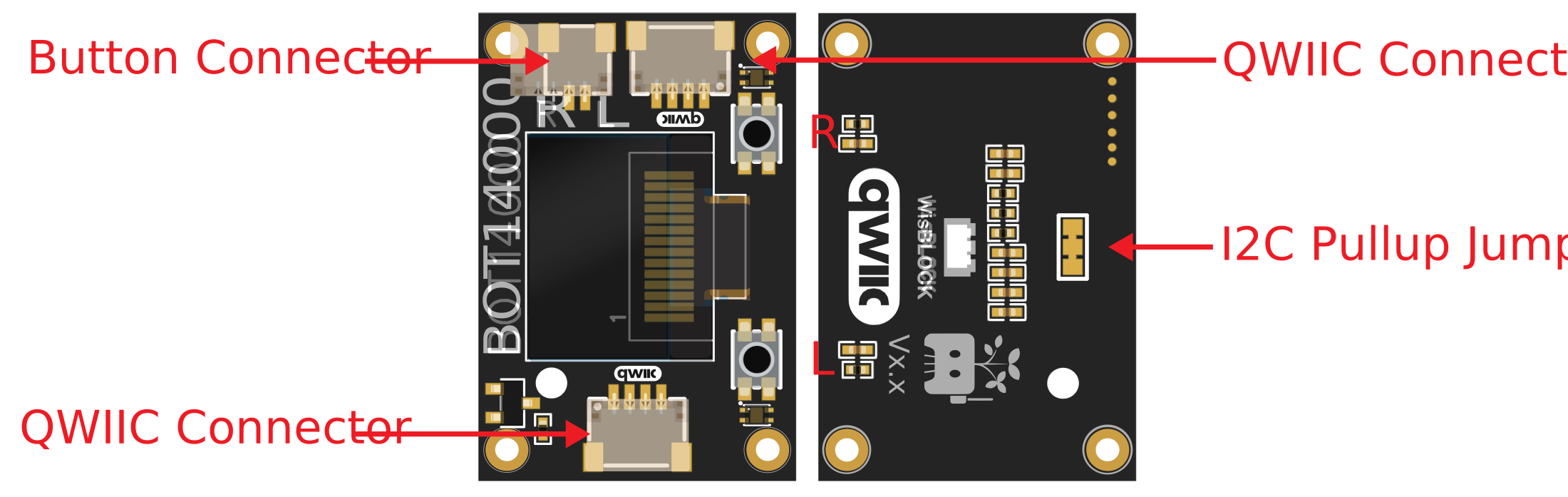
QWIIC Interface Wiring Label

All QWIIC cables follow the color scheme and arrangement in the table below:
| Wire Color | Label |
|---|---|
| Black | GND |
| Red | 3.3 V |
| Blue | SDA |
| Yellow | SCL |
Warning
The recommended maximum current on a QWIIC cable is 226 mA.
I2C Troubleshooting
If experiencing communication issues or erratic behavior with multiple I2C devices connected, try cutting the JP1 jumper to disable pull-up resistors. This permanent modification resolves bus loading conflicts common with 3+ devices on the same I2C bus.
Power Supply (via QWIIC Cable 3V3_S)
| Parameter | Min | Typ | Max | Unit | Conditions |
|---|---|---|---|---|---|
| Operating Voltage (VDD) | 3.0 | 3.3 | 3.6 | V | Via QWIIC connector (3V3_S) |
| Display Current (Static) | 15 | 20 | 25 | mA | All pixels ON |
| Display Current (Typical) | 5 | 10 | 15 | mA | 50% pixels ON |
| Standby Current | 1 | 2 | 5 | µA | Display OFF mode |
| Power-up Time | 100 | 200 | 300 | ms | After 3V3_S activation |
Mounting
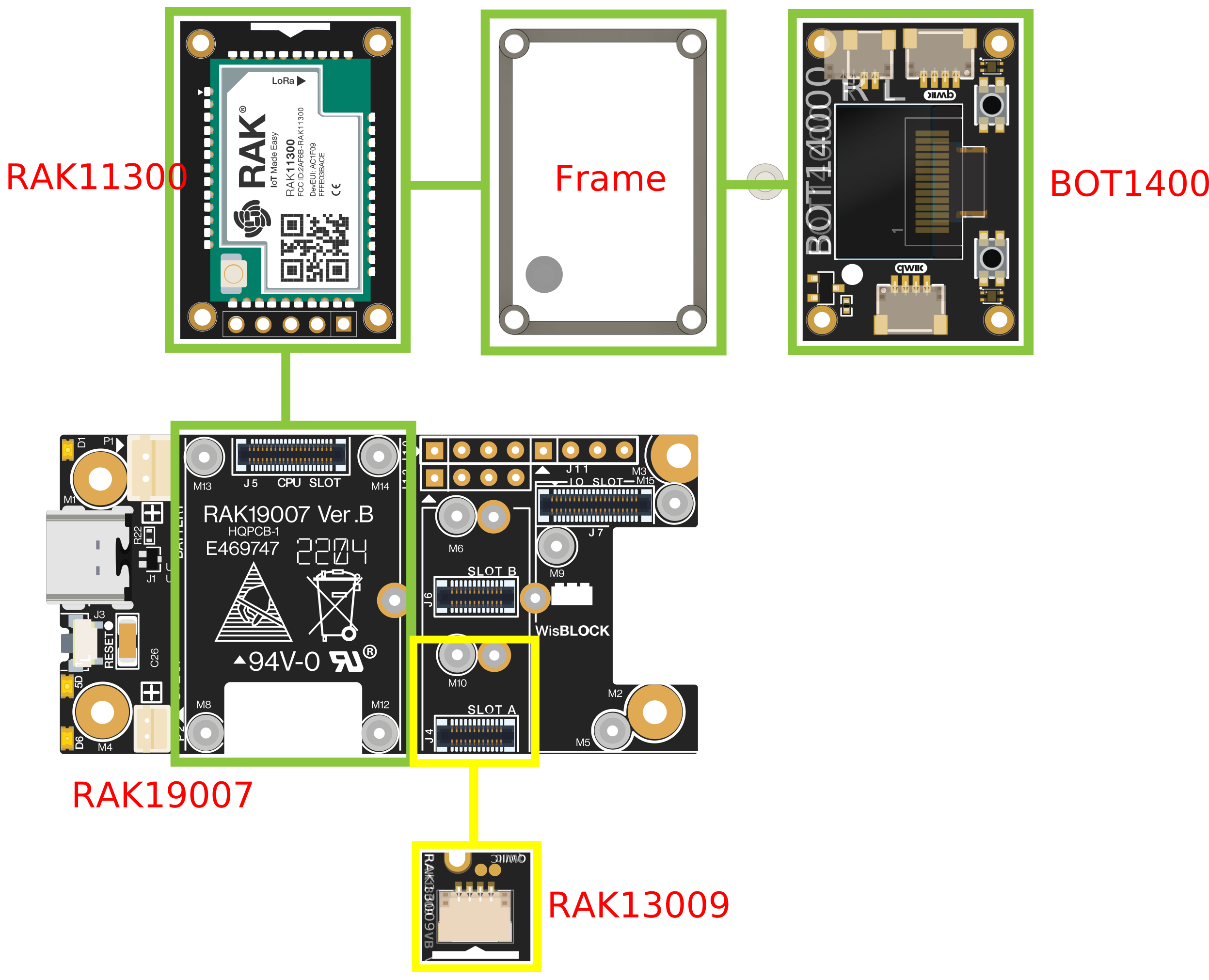
The BOT14000 module is designed for mounting above the core module.
Mounting Specifications
- Module Dimensions: 20.0 × 30.0 × 4.5 mm (W × L × H)
- Mounting Hole Pattern: Standard WisBlock core module compatible
- Mounting Holes: 4 × M1.5 holes
- Mounting Hardware: 4 × M1.2 × 8mm screws (included)
- Bootsel Access: 2mm diameter hole for RAK11310 boot access
Mechanical Characteristics
Board Dimensions

Schematic Diagram
